COETZER OPTICALFIBER NETWORK SYSTEMS Technical Inquiry

Cascading Gigabit PoE Switches

Cascading Gigabit PoE switches allows multiple switches to be interconnected, extending network coverage and PoE power while maintaining gigabit speeds.What is Switch Cascading?

Switch cascading is the process of connecting multiple switches via Ethernet ports to form an extended network. Each switch retains its own configuration, and data is transmitted between switches over the physical links . Common topologies include:

  • Daisy Chain (Linear): Switches are connected in series (A-B-C). Simple to implement but lacks redundancy; a single switch failure can disrupt the network .
  • Star or Circular: Switches connect to a central switch or form a loop (A-B-C-D-A). Provides redundancy and two-way data transmission but may require Spanning Tree Protocol to prevent loops . Cascading is cost-effective and suitable for small to medium networks, such as offices or IP camera deployments, where high port density is needed without specialized stacking hardware .
Gigabit PoE Considerations

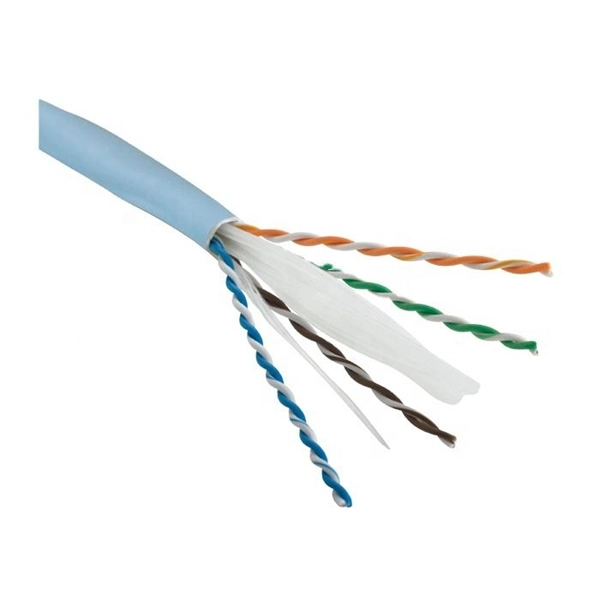
Gigabit Ethernet (1 Gbps) uses all four twisted pairs in a Cat5e or Cat6 cable, which is essential for maintaining full gigabit speeds . When cascading PoE switches:

  • Ensure all switches support the same PoE standard (802.3af, 802.3at, or 802.3bt) to avoid power conflicts .
  • PoE power budgets must be considered. For example, a PoE++ switch may provide up to 90W input and 72W output across multiple ports, which can limit the number of powered devices if cascaded .
  • Some PoE extenders reduce bandwidth on downstream ports when extending distances, so check device specifications for maximum supported speeds and distances .
Practical Deployment Tips
  1. Use the uplink port on the first switch to connect to the next switch in the cascade. This ensures proper data flow and PoE delivery .
  2. Monitor power budgets: Cascading multiple PoE switches can exceed the available power if too many devices are connected.
  3. Distance extension: PoE extenders can increase the reach of PoE devices up to 100–250 meters over Cat5e/6 cables, but bandwidth may be reduced on extended ports .
  4. Redundancy: For critical networks, consider circular or star topologies with Spanning Tree Protocol enabled to prevent loops and maintain connectivity in case of a switch failure .
  5. Compatibility: When cascading switches of different types or brands, ensure they support standard Ethernet speeds and PoE protocols to avoid negotiation issues .
Summary

Cascading Gigabit PoE switches is a flexible and cost-effective way to expand network coverage and power delivery. Key considerations include topology choice, PoE power budgets, cable quality, and bandwidth limitations. Proper planning ensures reliable gigabit performance and uninterrupted PoE service across all connected devices .

Cascading Gigabit PoE Switches

Linking of multiple Ethernet switches — cascading, stacking and

In the following sections, we''re going to delve deeper into the characteristics, pros, and cons of each technique: switch

Cascading connection of Reverse PoE switch with optic fiber

Normally,such cascading connection supports Max. 5-6 pieces gigabit reverse PoE switches. To make more confidential and safe

How To Connect POE Switch To POE Switch

Cascading means that the switch is connected to the next layer of switches to extend the distance of the network cable, but only up

Cisco 4-Port, 8-Port, and 8-Port with PoE/PoE+ Gigabit Ethernet

The Gigabit Ethernet LAN Switch NIMs provide increased performance levels, enhanced per-port security, and ease of configuration.

Related Video Reference

This video was associated with the source search result. Verify technical details against current product documentation and project requirements.

Technical note

This reference is intended for preliminary optical-network research. Compatibility, link budgets, installation methods, test limits and applicable standards must be verified for the specific project.

Still Have a Technical Question?

Use the inquiry form to describe a fiber link, component choice or testing question.

Start an Inquiry